We Care, Production Should Not Stop.

(+91) 9822444915 anadiinfotech@gmail.com
Available 24/7/365
  • HOME
  • MANUFACTURE
    • ALLEN BRADLEY
    • MONITOUCH
    • WELNTEK
    • B & R
    • PANASONIC
    • NATIONAL INSTRUMENT
    • ERHARDT+LEIMER
    • SCHNEIDER ELECTRIC
    • AGILENT TECH
    • FANUC
    • SIEMENS
    • RENU
    • KUKA
    • YASKAWA
    • PRO-FACE
    • LENZE
    • KOLLMORGEN
    • WOODWARD
    • MITSUBISHI
    • FUJI
    • REO ELEK TRONIK
  • REPAIRING & MAINTAINACE
  • SELL YOUR SURPLUS
  • MORE
    • About Us
    • Career
    • Contact Us
    • Blog
    • News & Awards
    • Faq
    • Case Studies
automation

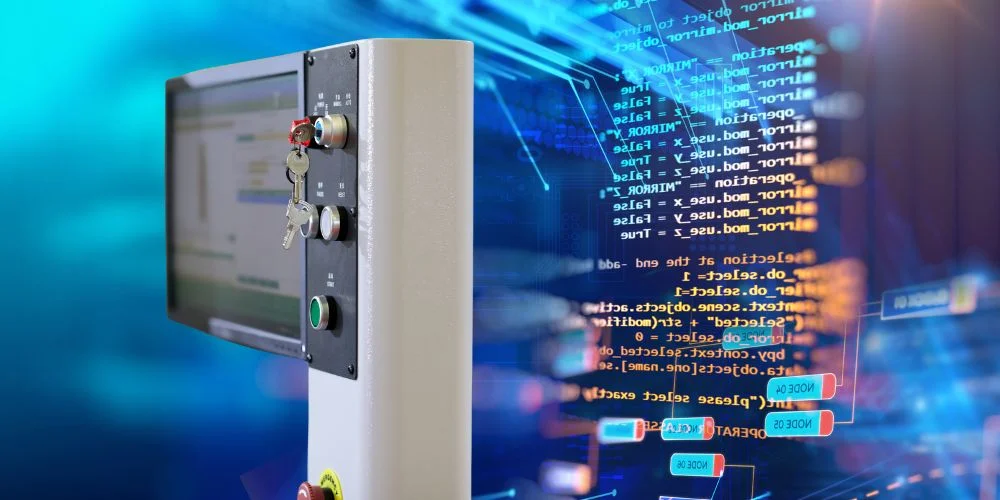
HMI Programming

HMI programming is the process of designing and configuring the screens, controls, and logic that allow a user to interact with industrial machines through a Human Machine Interface (HMI) screen.

While PLCs control the machine operations, HMI programming focuses on how those operations are presented and controlled visually—making the system usable and efficient for humans.


What Is HMI Programming?

HMI programming involves:

  1. Designing interface screens (menus, graphs, buttons)
  2. Linking data tags from PLCs to display values
  3. Setting up alarms and notifications
  4. Configuring user input like buttons or sliders
  5. Organizing navigation between different screens

It’s usually done using specialized HMI development software provided by the hardware manufacturer.


Popular HMI Programming Software

Different brands offer their own tools for HMI programming:

  1. Siemens – TIA Portal (WinCC)
  2. Allen-Bradley – FactoryTalk View Studio
  3. Schneider Electric – Vijeo Designer
  4. Mitsubishi – GT Works3
  5. Weintek – EasyBuilder Pro
  6. Delta – DOPSoft

These platforms offer drag-and-drop tools, real-time simulation, and connectivity with PLCs.


What Does an HMI Program Include?

An HMI program typically contains:

  1. Screen layouts with gauges, charts, indicators
  2. Tags connected to PLC addresses (e.g., motor speed, tank level)
  3. Alarms and events with visual/audio alerts
  4. Recipes for quick parameter changes
  5. User authentication for restricted access

Each component helps operators monitor and control equipment safely and efficiently.


Basics of HMI Programming Workflow

  1. Define project settings (screen size, PLC communication)
  2. Create tags linked to PLC variables
  3. Design screens (main, settings, alarms, diagnostics, etc.)
  4. Place objects like buttons, numeric displays, bar graphs
  5. Assign functions (screen change, value write, alarm trigger)
  6. Test & simulate in software before downloading to HMI
  7. Download project to the HMI screen and validate performance

Example Application

In a water pump station:

  1. The HMI shows tank levels with a bar graph
  2. Operators press buttons to start/stop pumps
  3. Alarms are triggered for low pressure or overload
  4. All actions are logged and displayed via the HMI program

Final Thoughts

HMI programming bridges the gap between machine logic and human control. A well-programmed HMI improves usability, reduces operator error, and enhances system visibility.

Whether you’re building a small machine panel or a full factory dashboard, thoughtful HMI programming is key to efficient automation.

Related Blogs
  1. What is Human Machine Interaction
  2. Inside an HMI Screen
  3. How HMI Works
  4. Top 17 Applications of HMI

Post navigation

⟵ What is Human Machine Interaction (HMI)? Meaning, Definition, Examples & Applications
Top 17 Applications of HMI ⟶

Mitsubishi FX1N-40MR-ES-UL PLC for Reliable Automation

Mitsubishi FX1N-40MR-ES-UL Programmable Controller is one of the most efficient programmable controllers on the market. It is equipped with 40…

Mitsubishi FX3U-32MR/ES PLC for Industrial Automation

FX3U-32MR/ES PLC by Mitsubishi is a highly advanced and compact programmable logic controller which is used for automation in industries.…

ALLEN BRADLEY 1769-IF4XOF2 ANALOG INPUT OUTPUT MODULE

Allen Bradley 1769-IF4XOF2 Analog Input Output Module is a sturdy and compact device that offers exacting results when working with…

Leave a Reply Cancel reply

Your email address will not be published. Required fields are marked *

Anadi Automation

Industries multidisciplinary team of engineering experts can successfully carry out projects of any size and complexity. Our team offers the most up-to-date sustainable and trusted suppliers of quality control.

QUICK LINKS

  • Manufacturer
  • Repairs & Services
  • About Us
  • Blog
  • FAQ
  • Contact Us

ADDRESS

Address:
Anadi Automation, Plot No 13, Lekha Nagar
Bypass Rd, behind Chadda Water Tank
near Old Skoda Showroom, Rajiv Nagar,
Nashik, Maharashtra 422009

CONTACT DETAILS

📧 anadiinfotech@gmail.com


📞 (+91) 9822444915


🕒 Available in 24/7/365


GSTIN: 27CECPK5099D1ZE

Terms & Condition | Privacy Policy
Fedex DHL Mastercard Paypal Visa

Disclaimer:
Anadi Automation is an independent reseller of surplus industrial automation products and an independent provider of industrial repair services. We source products through independent supply channels and are not affiliated with, authorized by, or sponsored by any of the manufacturers listed on our website. Anadi Automation is not an authorized distributor, agent, service center, or representative of any brand featured here. All trademarks, logos, brand names, and product identifiers are the property of their respective owners. They are used solely for reference and identification purposes and do not imply any partnership, sponsorship, or authorization by the original manufacturers.

Talk to us for better deals

×